QR vCard Pro writes your card's address to a blank NFC sticker or plastic card. When you hold it against the other person's phone, the phone offers to open your card, with no app and no camera.
Paper cards get forgotten, numbers get mistyped, and scanning means the other person has to open the camera.
The other person types your name and number into their phone, and a mistake shows up only when the call does not go through.
Hold the card to the phone, it offers to open your digital card, and the Save contact button puts the correct details into the address book.
That is why writing takes a few seconds, and the sticker always opens the current card.
NFC is the same wireless chip you use to pay with your phone at the checkout. The other person's phone reads the address and offers to open the card, with no app and no camera.
A basic NTAG213 sticker is enough, and an NTAG215 works the same way. Plastic NFC cards with your logo are written the same way, and one card can carry both the NFC chip and a QR code.
The sticker holds only the address, so a new phone number, position or photo does not require a rewrite. Written stickers keep working even when the Administrator hides the NFC section on the portal.
Writing from the browser works only on Android. On an iPhone, you write the address with the free NFC TagWriter by NXP app.
On an Android phone, in Chrome or Samsung Internet, open the portal and the NFC cards item.
Next to the card, tap Write to NFC, hold the sticker against the back of the phone near the top, and keep it still until the “Written!” message appears.
Hold the sticker against a different phone and make sure the right card opens before you hand it over.
NFC and the QR code lead to the same address, so one card works both ways.
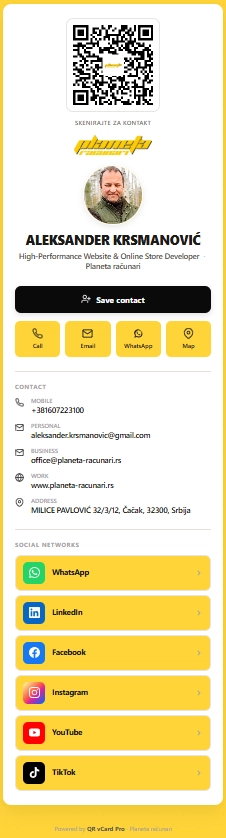
QR vCard Pro is built and maintained by Aleksander Krsmanović (Planeta računari), and this is his own card, made with the same plugin. Open it on your phone: save the contact, send the card on with Share details, or switch the language in the 🌐 picker.
planeta-racunari.rs/q/FejWtKNo. When you hold the sticker against their phone, the phone offers to open your card's address, with no app and no camera.
Not from the browser: writing from the portal works only on an Android phone, in Chrome or Samsung Internet. On an iPhone, install the free “NFC TagWriter by NXP” app, choose to write a Link (URL) record and paste the address from the Card address (for manual writing): field.
A basic NTAG213 sticker is enough for a card address; an NTAG215 works the same way. Plastic NFC cards with your logo and design are written the same way.
No. The sticker holds only the card address, so a new number, position or photo applies right away. You rewrite stickers only if you change the site's domain or move from http:// to https://.
The Administrator and the Card Manager see all published company cards and can write cards for every employee. Employees and Team members see only their own cards. With the Show the NFC section (to you and your employees) switch, the Administrator can hide the section from everyone else.
None in particular: NFC cards work in every plan, including the free Personal. The plan only determines how many cards you can create (Personal allows two).
Make sure both addresses in WordPress Settings → General start with https://. The sticker stores the address as it is at the moment of writing, and for an http:// address the phone warns that the connection is not secure.
NFC cards work in every plan, including the free Personal. All you need is a blank NFC sticker and a phone to write it.
See pricing