The vendor, Planeta računari, can mark your license as verified. The Administrator can then turn on the blue Verified badge in the card list, and it appears next to the name on the card while the license is active and verified.
The badge depends on two steps the card owner does not take: the vendor verifies the license, and the Administrator marks the cards.
The recipient sees a name and a logo, but nothing on the card shows that it was issued under a verified license.
The blue badge sits next to the name, and on mouse hover it reads “Verified by Planeta računari”. The badge is not shown when the license is not active and verified.
That is what gives the badge weight: it is not added by the person the card presents.
The license is verified by the vendor. Without a verified license, the Verified column in the card list shows “Not eligible”, and the badge cannot be turned on.
In the All cards list, clicking Mark turns the badge on, and clicking VERIFIED turns it off. The ✓ Mark as Verified and Remove Verified status bulk actions work on many cards at once.
The badge sits next to the name on the public card, and the “Verified by Planeta računari” text stays even when you use White-label.
The badge does not depend on the plan, only on the license status.
Planeta računari marks your license as verified. To ask for verification, write to office@planeta-racunari.rs.
When the license becomes verified for the first time, all existing cards are marked automatically, once. New cards are unmarked by default.
In QR vCard Pro → All cards, the Administrator turns the badge on or off per card or with a bulk action.
The badge changes nothing else on the card: it only adds a marker next to the name.
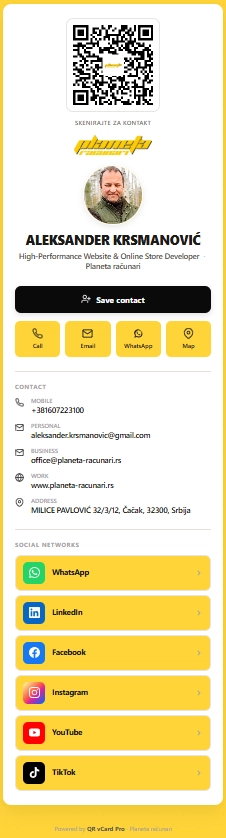
QR vCard Pro is built and maintained by Aleksander Krsmanović (Planeta računari), and this is his own card, made with the same plugin. Open it on your phone: save the contact, send the card on with Share details, or switch the language in the 🌐 picker.
planeta-racunari.rs/q/FejWtKNone in particular. The badge depends on the license, not the plan: you need an active license the vendor has verified. In demo mode, without an active license, the badge is not shown.
No. The card owner cannot turn on the badge. Only the Administrator marks cards, in wp-admin, and only while the license is verified.
The license is verified by the vendor, Planeta računari. To ask for verification, write to office@planeta-racunari.rs.
When the license becomes verified for the first time, all existing cards are marked automatically, once. Cards created after that stay unmarked until the Administrator marks them.
The badge is shown only while the license is active and verified. When either condition is not met, the badge does not appear on the cards.
No. On mouse hover the badge reads “Verified by Planeta računari”, even with White-label.
Next to the name, in the upper part of the card, together with the WORK or PERSONAL label when a Card type is selected.
The badge is not tied to a plan. Choose the license that fits you, and write to office@planeta-racunari.rs about verification.
See pricing