🛡️ Privacy · data in your database
Every privacy setting in every plan

Need to know what the software records about visitors? Very little by default, and you turn on every step beyond that yourself.

Cards, contacts and statistics are stored in your own WordPress database. By default, IP addresses are truncated and hashed, geolocation through an outside service is off, and advertising and measurement codes wait for the visitor's consent. When you turn on an outside service, the data it needs is sent to that service.

Asked where the data from your cards ends up? Here is the exact answer, switch by switch.

A subscription service keeps the data on its own servers. QR vCard Pro keeps it in your WordPress database, and you choose what gets recorded and which outside services you turn on.

❌ Data held by someone else

Contacts and statistics sit on someone else's servers, and you don't know exactly what is recorded, how long it is kept or who it is passed on to.

✓ Data in your database

Everything is in your site's database. Every piece of data has a switch, you set the retention period yourself, and a table in the Complete guide lists which data leaves the site, to whom and when.

What can you control? What gets recorded, for how long and what visitors see.

The default settings were chosen with GDPR (EU), CCPA (USA) and ZZPL (Serbia) in mind. The software gives you the switches; the company that uses the cards is responsible for the legal basis and its privacy policy.

🔒

Less data from the start

IP anonymization (on) truncates the address before any processing, the hash (on) serves only the unique visitor counter, and geolocation through ip-api.com is off.

🗓️

Retention period

Scans older than 365 days are deleted once a day. You can set anything from 0 (no limit) to 3650 days, and the master switch turns scan logging off completely.

🍪

Consent and legal links

The built-in banner holds back Google Analytics, Tag Manager and pixels until the visitor accepts. Links to the privacy policy, terms of service, data processing agreement and cookie policy lead to your own pages.

How do you set up privacy? Once, on the Privacy and GDPR tab.

The Privacy step of the setup wizard offers the same settings. They apply to the whole site and every card.

1

Review the defaults

Logging on, anonymization and hashing on, device and browser on, geolocation off, retention 365 days. Unless you have a specific reason, leave them as they are.

2

Enter your legal pages

The addresses of your privacy policy, terms of service, data processing agreement and cookie policy. Without them, the links in the contact exchange form point to default addresses that may not exist.

3

Update your privacy policy

If you turn on geolocation, contact exchange, pixels or other outside services, name them. The suggested text the software adds to the WordPress privacy policy guide does not follow your settings.

At a glance

Plan
All plans, including the free Personal plan. The contact exchange form, which holds the consent field and the legal links, is available from 5 Sites.
Where to find it
QR vCard Pro → Settings → Privacy and GDPR; on the portal, Settings → Privacy and GDPR; consent banner: QR vCard Pro → Marketing → Pixels; deletion on removal: Settings → General → Permanent deletion. Only the Administrator changes these.
Limits
The software's four cookies (qrvp_consent, qrvp_lang, qrvp_utm and qrvp_flash) are set without the banner; the banner applies only to measurement and advertising codes. The software's own analytics does not depend on the banner. The connection to ip-api.com is not encrypted. The WordPress personal data export and erase tools do not cover contacts, so requests are handled by hand in Contacts. Retention deletes only scans, not contacts.
What you need
Your own legal pages (privacy policy, terms of service, data processing agreement and cookie policy) and a legal basis for processing, which is the responsibility of the company that uses the cards.
📖 Read the full step-by-step guide

What do you know for certain? Where the data is and what leaves your site.

Without outside services, data stays in your database. You turn on every outside service yourself.

✓
Scans without personal details: a card open record contains no name, email or phone number of the visitor
✓
Truncated IP addresses: for IPv4 the last number becomes 0, for IPv6 the last 80 bits are removed, before hashing and location lookup
✓
Device detection without third parties: device type, system and browser are extracted on your own server
✓
A clear list of outside services: ip-api.com, OpenAI, Google, Meta, LinkedIn, Odoo and webhook addresses receive data only once you turn them on, and the license server gets only the license key, site address and version
✓
Links for every visitor: the Show notice option puts your policies in the footer of every card, not only in the form
✓
Deletion on your terms: deactivation and a regular delete keep the data, and Permanent deletion removes it when you decide to
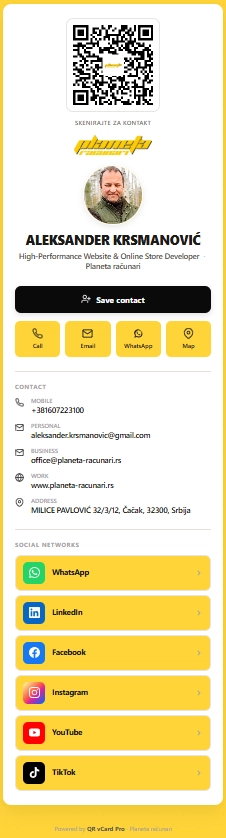
The author's real card

Open the real card: opening it records no name, email or phone number

QR vCard Pro is built and maintained by Aleksander Krsmanović (Planeta računari), and this is his own card, made with the same plugin. Open it on your phone: save the contact, send the card on with Share details, or switch the language in the 🌐 picker.

planeta-racunari.rs/q/FejWtK

Frequently asked questions

Where is the data stored?

In your own WordPress database: cards, contacts, scans and settings. When you turn on an outside service, the data it needs is sent to it: IP addresses to ip-api.com (geolocation), text and business card photos to OpenAI (AI tools, translation, scanner), pass and report data to Google, contact data to your Odoo and webhook addresses, and messages to your SMTP server. License and update checks send the license key, site address and software version to the vendor's license server.

Who is responsible for lawful data processing?

The company that uses the cards. The introduction on the Privacy and GDPR tab states that the defaults were chosen with GDPR (EU), CCPA (USA) and ZZPL (Serbia) in mind. The software gives you the switches; you are responsible for the legal basis and the text of your privacy policy.

What is recorded when someone opens a card?

Always, while logging is on: the card, the time, the event type, the active event and UTM tags. With the default settings, also a hash of the truncated IP address, the device type, operating system, browser and the full User-Agent string. The IP address itself is stored only when you turn on geolocation, along with country, region and city. Name, email and phone number are never recorded.

What does geolocation do, and why is it off?

When you turn it on, every new scan stores the visitor's IP address (truncated, if anonymization is on), and once an hour up to 100 addresses are sent to ip-api.com over an unencrypted connection to look up country, region and city. The address stays in the database until the scan is deleted under the retention period. That is why it is off by default; if you turn it on, name ip-api.com in your privacy policy and keep the retention period short.

How do I handle a data access or deletion request?

Scans are not linked to a name or email, so there is nothing to find. You find exchanged contacts in QR vCard Pro → Contacts by searching for the email address, then send the person their data or delete it. The WordPress personal data export and erase tools do not cover contacts. Also check copies: notification emails, Odoo and webhook addresses.

How long is data kept?

Scans for 365 days unless you change it (from 0, no limit, to 3650 days); deletion runs once a day. Contacts, webhook delivery records and events stay until you delete them yourself. Shortening the period deletes older scans at the next run, and they cannot be restored.

What happens to the data when I deactivate or delete the plugin?

Deactivation deletes nothing, but while it lasts, cards and the portal are unavailable and QR codes lead to pages that don't exist. Deleting the plugin keeps all data by default. Only if you turn on Permanent deletion before deleting are cards, /l/ pages, scans, contacts, events, API keys, webhooks, the portal page and all settings removed; WordPress user accounts and images in Media stay.

Can visitors refuse cookies?

Yes, for measurement and advertising codes: the banner offers "Decline" and "Accept", and the choice is remembered for a year. There is no button on the card to change the decision later; a visitor can clear the site's cookies in their browser. The software's own four cookies, for the banner choice, language, campaign and portal sign-in messages, are set without the banner; list them in your cookie policy.
Need software whose data you control? Every privacy setting comes with every plan.

Data in your WordPress database, cautious defaults and a clear list of the services that receive data once you turn them on.

See pricing
The license is lifetime and paid once. Updates are included for 12 months from purchase; after that, renewing updates is optional, and the plugin and every feature of your plan keep working without renewal. 14-day money-back guarantee: send your request to office@planeta-racunari.rs.