Generate a clean HTML email signature with your QR code, photo, and contact details. Copy-paste into Gmail, Outlook, Apple Mail, or any client. Updates when you update the card.
A plain-text signature with three lines of contact info is fine. But it doesn't get scanned, it doesn't link to your social, and it doesn't look like you care about the impression you leave.
Name, phone, email — that's it. No way for the recipient to save your contact in one tap. No link to your portfolio, no social, no QR for a quick "scan and add me."
Photo, role, phone, email, social icons, and a QR code. Recipient scans the QR with their phone and lands on your full digital card. Save contact, follow on LinkedIn, all in one tap.
Three things most email-signature generators get wrong.
Uses your photo, your card's color scheme, your logo on the QR code. The signature looks like part of your brand, not a template someone else used.
Generates HTML that works in Gmail, Outlook, Apple Mail, Thunderbird, ProtonMail. No CSS quirks, no broken images, no "looks fine on my screen but breaks on yours."
The signature pulls from the same card data. Update your phone in the card → next time you generate the signature, the new number is there. No more "which version of the signature do I have installed?"
Setup time: about 3 minutes per email client.
In WordPress admin → QR vCard Pro → pick a card → click "Email Signature." Choose layout (compact or full), pick which fields to include.
See the preview, adjust if needed, click "Copy HTML." The signature is now in your clipboard, ready to paste.
In Gmail Settings → Signature → paste. Same in Outlook, Apple Mail, Thunderbird. The signature now appears at the bottom of every email you send.
Every element is optional. Pick what fits your style.
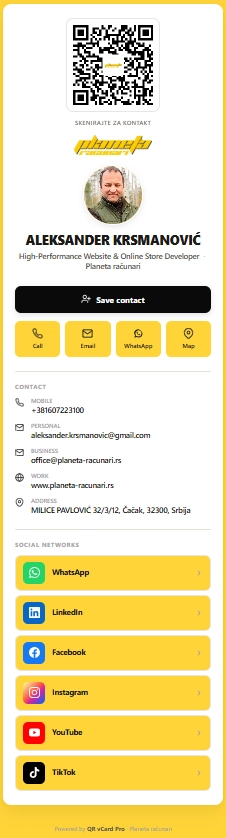
The plug-in is built and maintained by Aleksander Krsmanović. His own card runs on the same code you'd be buying. Scan it, save the contact, or just see how a real card looks on a phone.
planeta-racunari.rs/q/FejWtKYes, the generated HTML is tested across Gmail (web + mobile), Outlook (desktop + web + mobile), Apple Mail, Thunderbird, and ProtonMail. The layout uses table-based HTML (the only thing that works reliably across all email clients) instead of modern CSS that breaks in some inboxes.
Yes. The QR is embedded as an image (PNG) at a high enough resolution to scan from a phone held to a monitor. Tested on iPhone camera, Android camera, and dedicated QR scanner apps.
Build one card per rep. Generate the signature for each. Send the HTML to each rep — they paste once into their email client. All 10 signatures share the same layout, the same brand colors, the same logo on the QR. Consistent across the team.
Yes. The signature builder has a "Custom button" option where you set the label and URL. Common uses: Calendly link, Cal.com link, portfolio URL, latest article. The button styling matches the card's color scheme.
Update it in the card. Re-generate the signature (one click). Copy-paste into your email client again. The new signature has the updated number, and every email from now on shows the right info.
$99 one-time for 5 Sites tier. Email signature generator, Virtual backgrounds, Geo analytics, 5 sites.
See pricing