WordPress plugin · cards in 11 languages · data in your own database

Need a business card you can still update after it is printed?
Build it on your own WordPress site, with a QR code and a Save contact button.

QR vCard Pro is a WordPress plugin that gives every person in your company a digital business card with a short link and a QR code. Visitors open it without an app and, with one tap, add you to their contacts (Save contact), send your details to a colleague (Share details) or put the card on their phone's home screen. Your team works in the QR portal on your own site, and cards, statistics and contacts are stored in your own WordPress database.

Paid once · updates for 12 months from purchase · 14-day money-back guarantee

Want clear terms before you buy? These are the numbers that apply

No estimates and no promises: languages, plans, updates and the refund window.

0
languages for card content and the plugin interface
0
plans, from the free Personal to Agency
0
months of updates included from purchase
0
days to request a refund

Still handing out paper cards you cannot update? A digital card changes whenever you want it to

A printed card stays exactly as it left the print shop. The QR code on a digital card holds only its short address, so everyone who scans it sees the details you saved last.

Printed business card

  • Cannot be changed after printing
  • A new phone number or job title means a new print run
  • No Save contact button, so your details get retyped by hand
  • Gives no sign that anyone looked at your details

A QR vCard Pro card

  • Opens in the phone's browser, with no app and no sign-in
  • Change your details any time; a QR code you already printed opens the updated card
  • Save contact adds your name, phone numbers and email addresses to the phone's contacts
  • Analytics records opens and taps, and from the 5 Sites plan visitors can leave you their own contact

What happens after the scan? The card, the contact and the portal work together

The card only starts the conversation. The plugin records what happens on it, collects contacts and gives your team a place to work.

01

All your details behind one code

Phone numbers, email addresses, websites, a map address, social networks and a gallery on one mobile page. The short address, such as your-site.com/q/Rm4xT9, stays the same when you change the name, company or design of the card.

Learn more →
02

Contact goes both ways

From the 5 Sites plan, Lead Capture invites visitors to leave you their details. Contacts from cards, the scanner and campaign pages land on one screen, where you tag them, add notes and export them to CSV.

Learn more →
03

A portal where your team works without WordPress

The QR portal is a separate page on your site with its own sign-in. Employees (from the Unlimited plan) and team members (Agency) edit only their own cards there, from a phone or a computer, and never enter WordPress admin.

Learn more →
The license is paid once, with no required subscription

Want to see how it works before you buy? Watch the video or try it free

You create the first card in wp-admin or on the portal, then check it by scanning the QR code with your phone.

The video is in production

Until then, install the free Personal plan: 1 site and up to 2 cards, with no payment and no credit card.

Start free →

Need more than a card with a QR code? Here is what you get

Each area has its own page with details, the plan and the limits. Every feature is also listed in the Features menu.
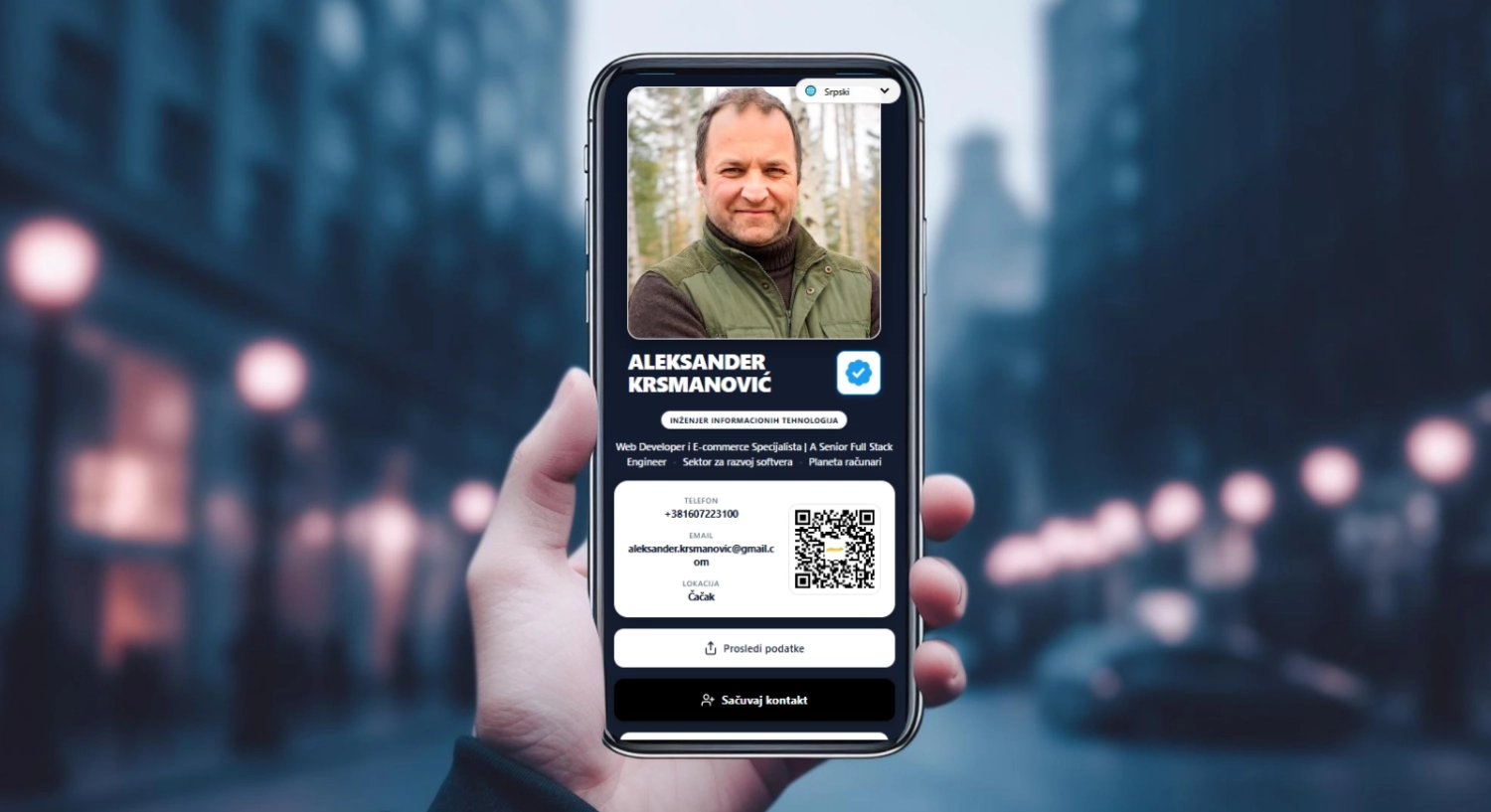
A public card that works on any phone

A public card that works on any phone

A QR code or a link opens a mobile page with your photo, contact details and social networks, with no app and no sign-in. The Save contact, Share details and Icon on phone display buttons work on every plan.

Learn more →
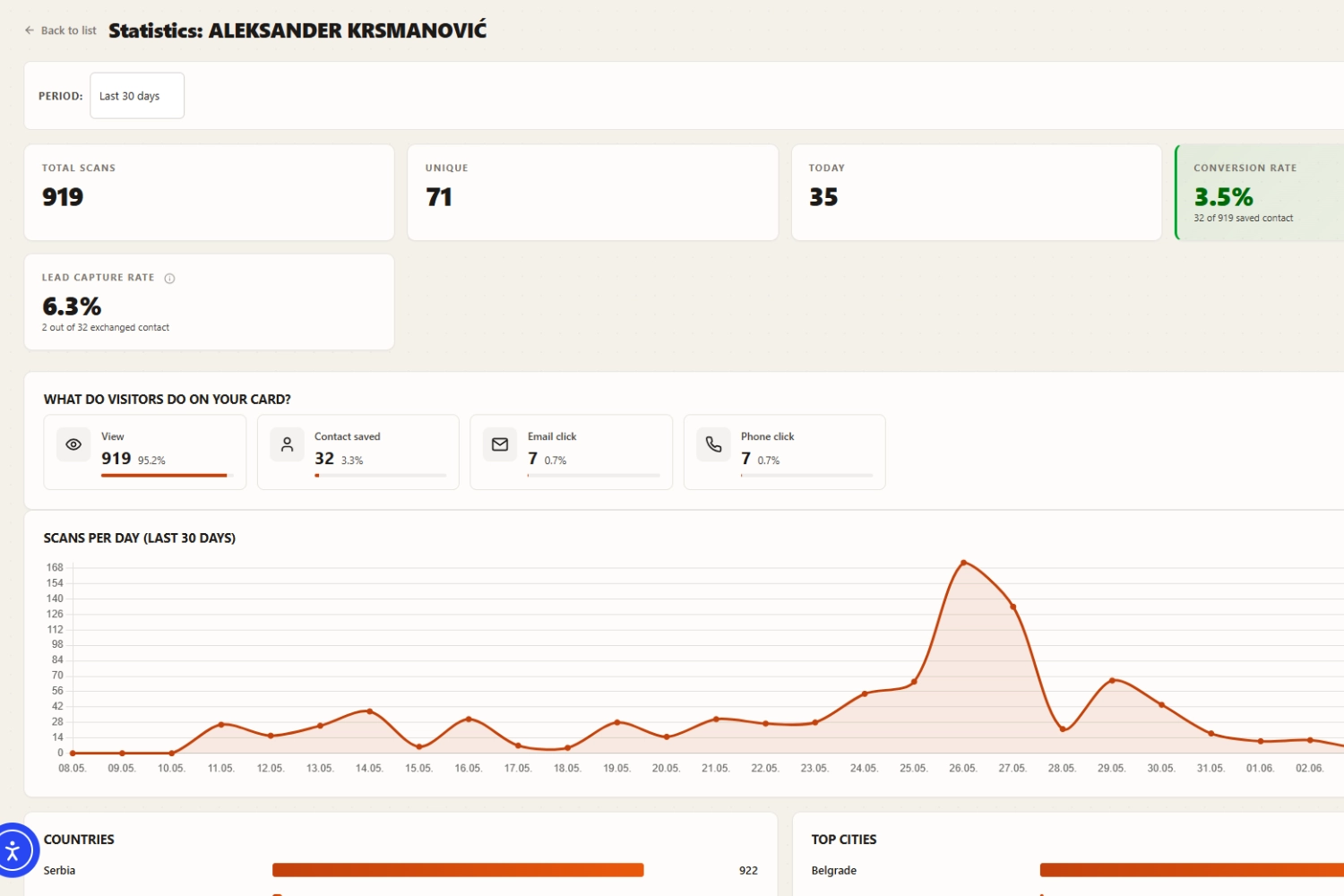
Analytics for opens and taps

Analytics for opens and taps

See how many times a card was opened and what visitors tapped, by card, period, device and hour. Country and city are recorded only when you turn on Geo-location. Advanced analytics and CSV export of scans start with the 5 Sites plan.

Learn more →
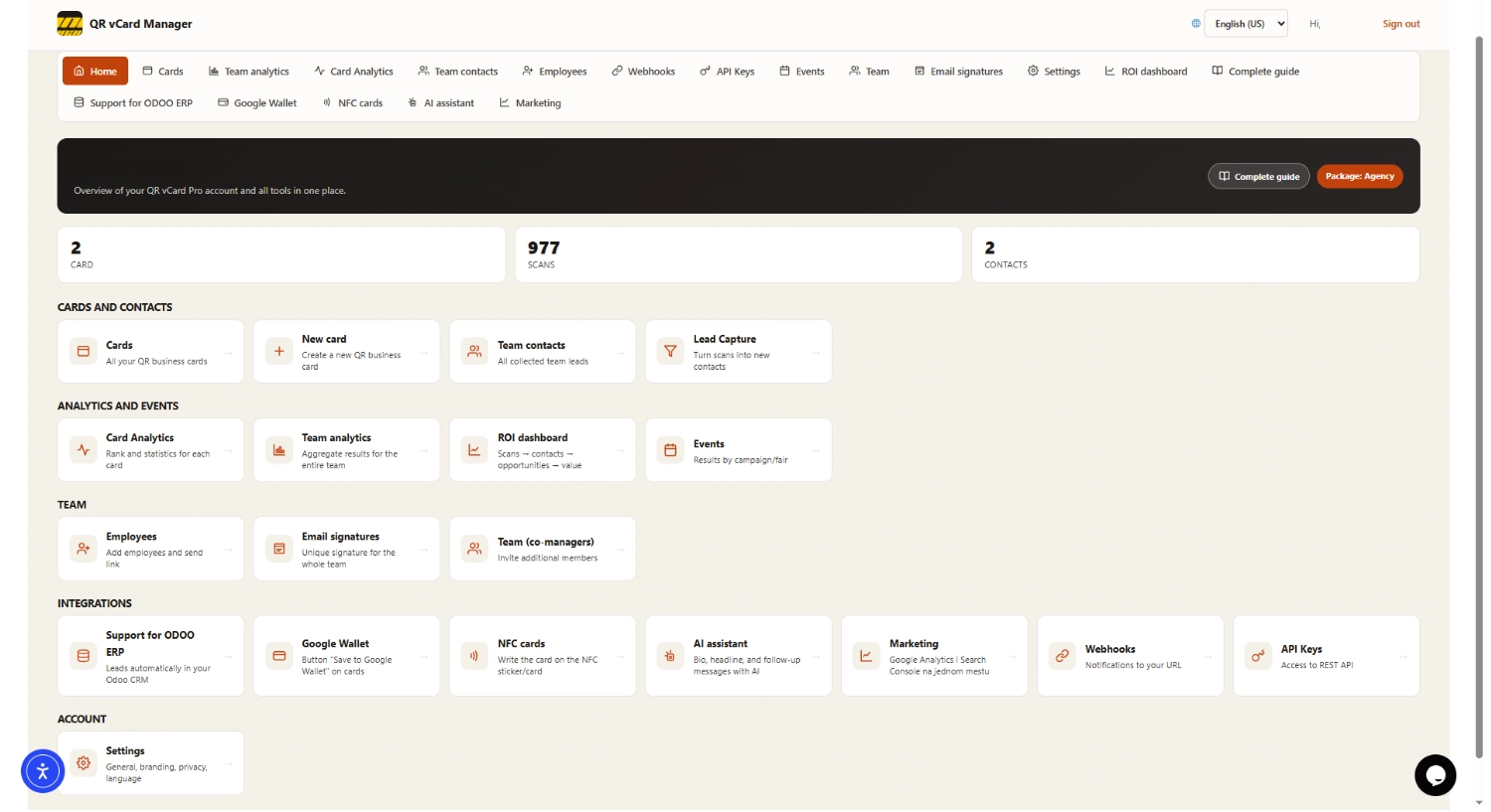
Employees, Team and Card Manager

Employees, Team and Card Manager

An employee (from the Unlimited plan) gets a ready card and a one-time link for the first sign-in, then sets a password. Team and the Card Manager role are on the Agency plan. The Maximum cards per person setting controls how many cards each person can create.

Learn more →
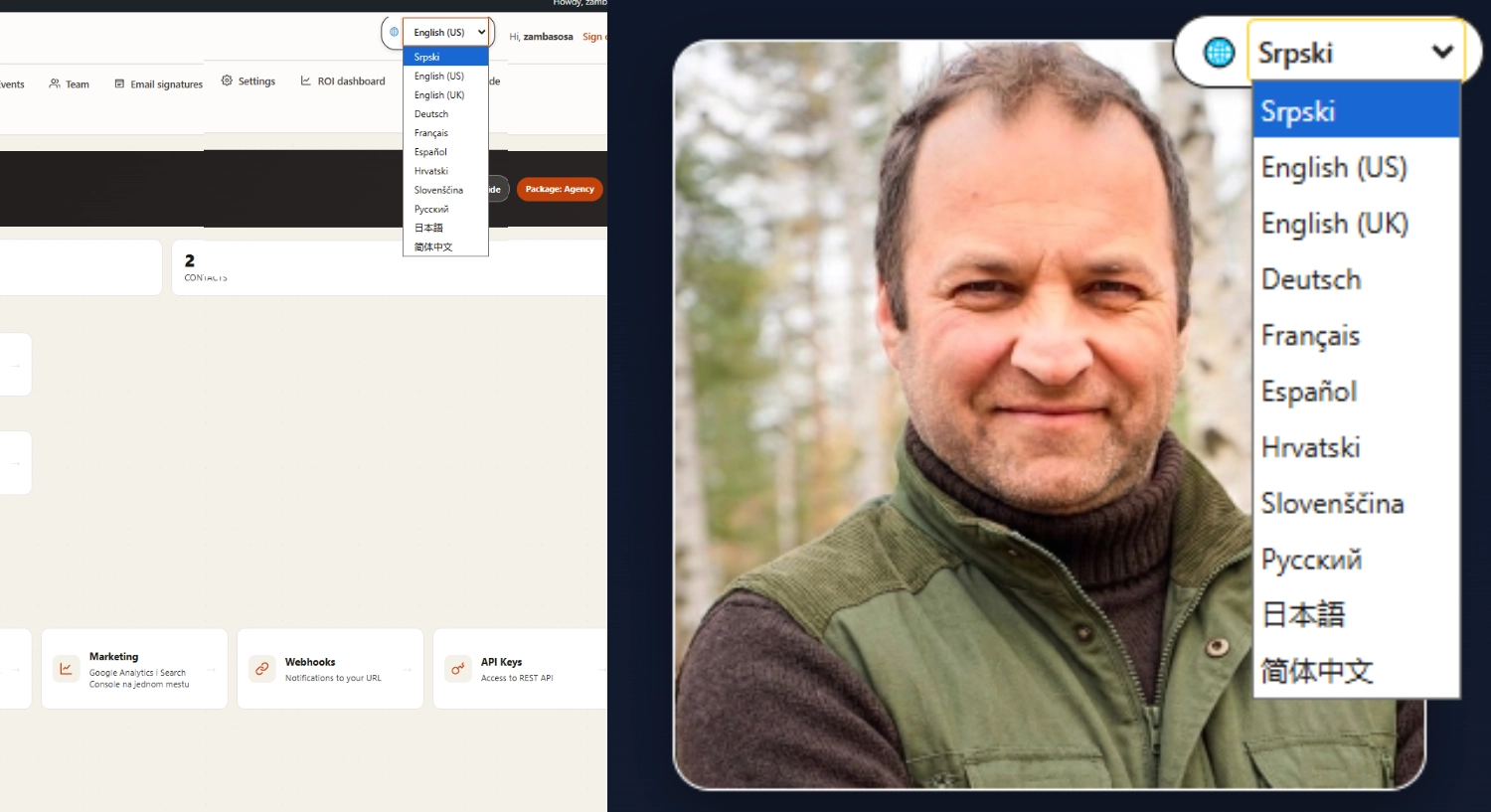
A card in 11 languages

A card in 11 languages

You enter card content in 11 languages, and visitors automatically see the version in their phone's language or pick one themselves. The Auto-translate button fills in the other languages using your OpenAI key.

Learn more →
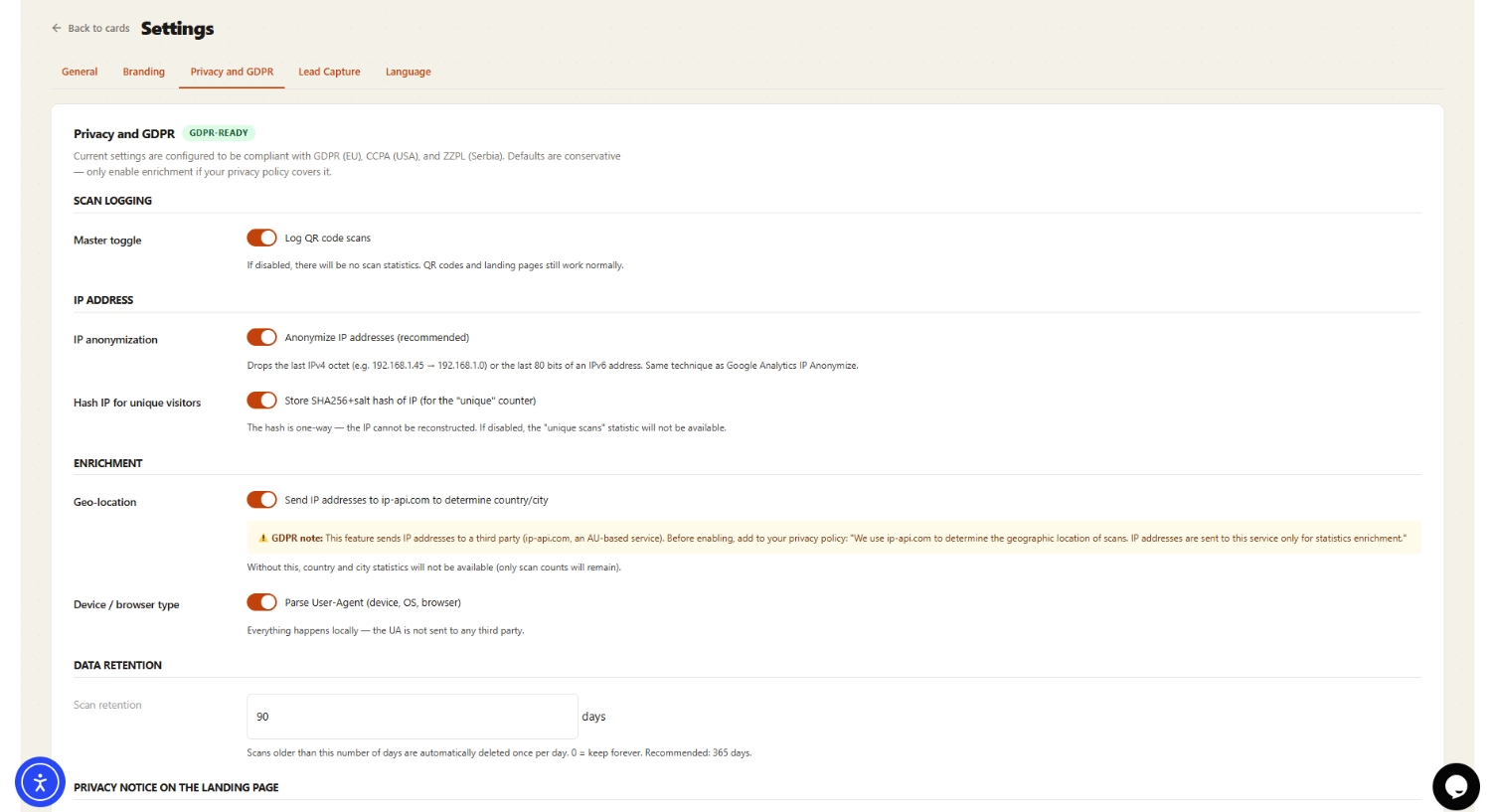
Privacy you set yourself

Privacy you set yourself

IP addresses are anonymized by default, geolocation is off, and you choose how long scans are kept. The defaults were chosen with GDPR, CCPA and ZZPL in mind; the company that uses the cards is responsible for the legal basis for processing.

Learn more →
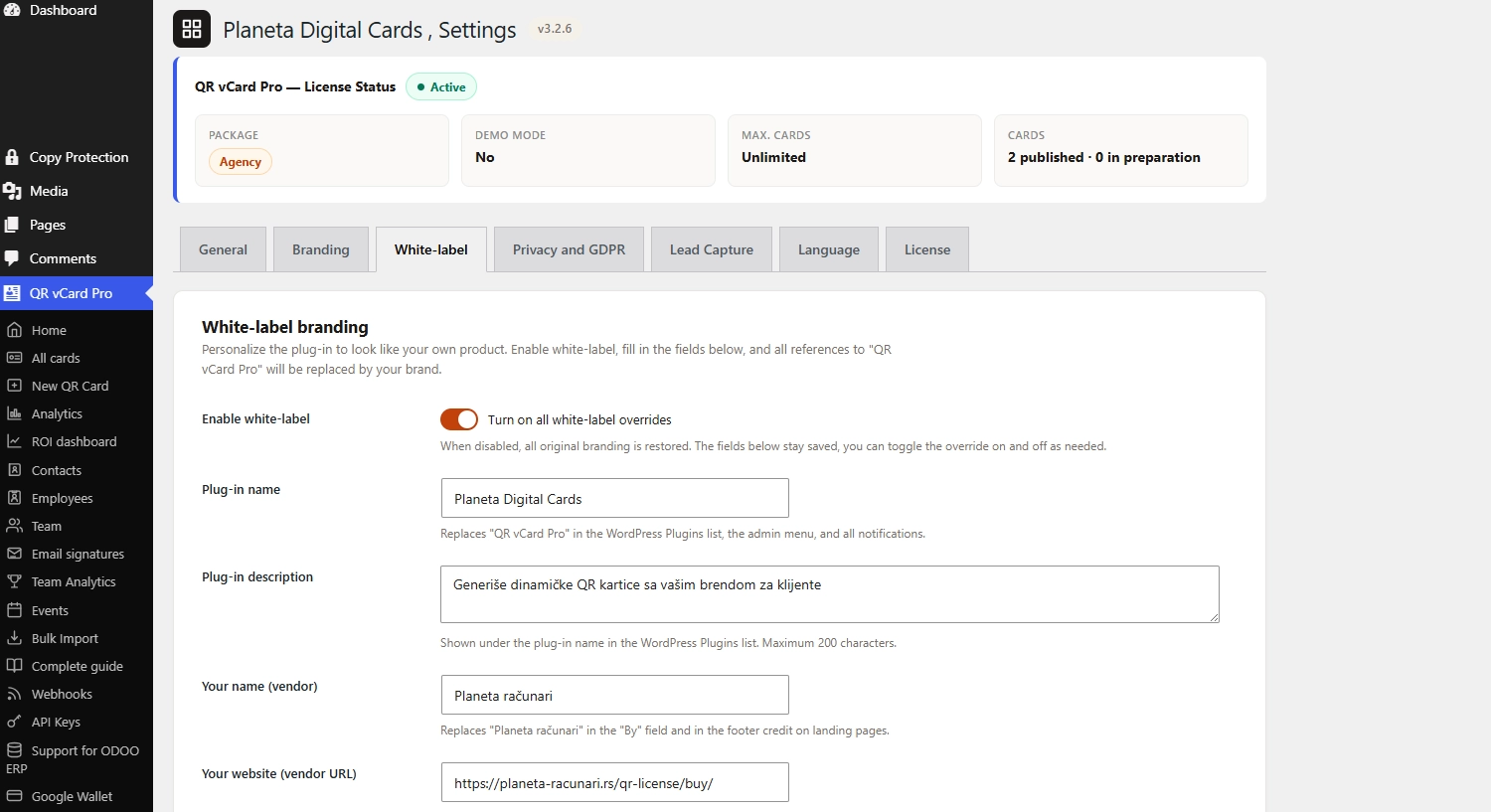
White-label for agencies

White-label for agencies

On the Agency plan you enter your own plugin name: it appears in the Plugins list, the menu, Home and the credit in the card footer. You can also remove the vendor credit from the card footer entirely.

Learn more →
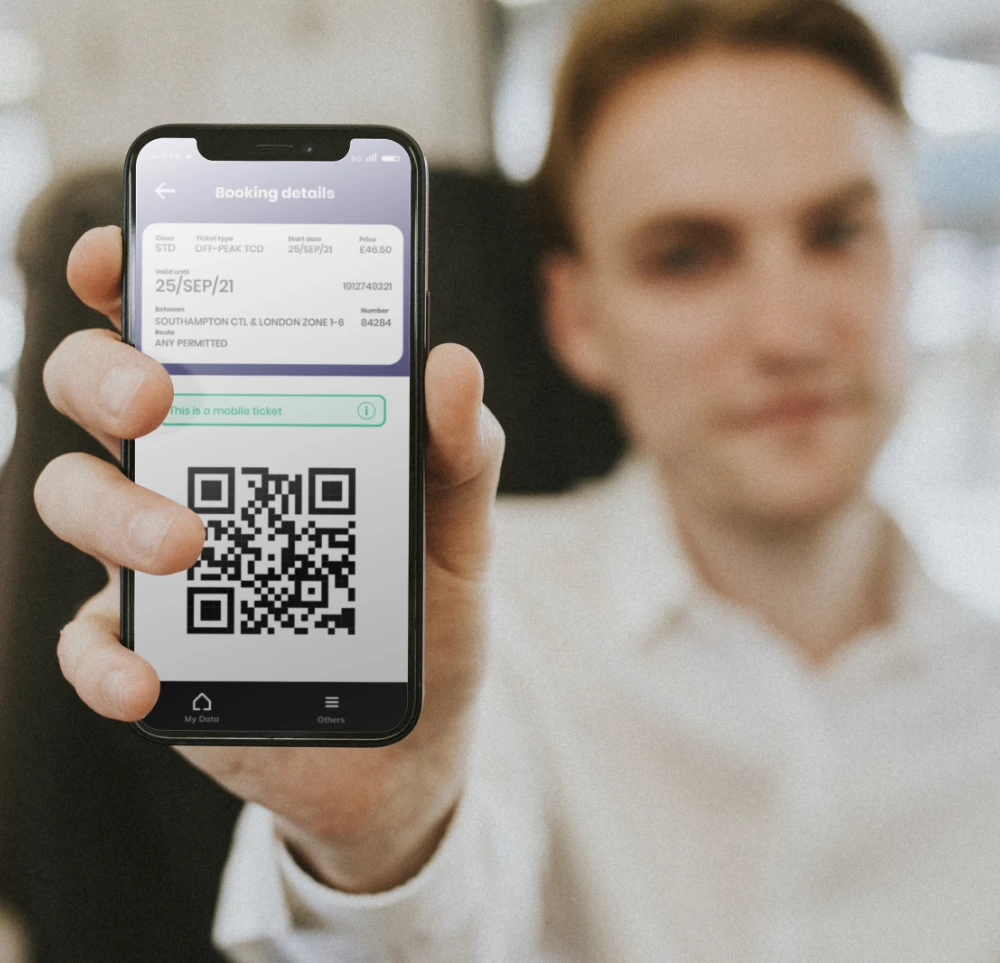
Looking for a specific feature? Each one has a page with its plan and limits

Click through to see what the feature does, which plan includes it and what you need to turn it on.

Card design

Card design

The Minimal template and colors on every plan. The Business, Creative, Futura, Showcase and Editorial templates and Free layout start with Single Site.

Learn more →
Contact capture

Contact capture

Lead Capture (from 5 Sites): visitors leave you their details, and you tag and export them on the Contacts screen. Custom forms start with Unlimited.

Learn more →

AI tools

The AI assistant writes a bio, a headline and a follow-up message (every plan), and the scanner reads paper business cards (from 5 Sites). Both use your OpenAI key.

Learn more →
Email signature

Email signature

A signature with your card's QR code for Gmail, Outlook and Apple Mail (from 5 Sites). The Agency plan adds shared team signatures.

Learn more →
NFC cards

NFC cards

You write the card address to an NFC sticker or a plastic card. Hold it to another person's phone and your card opens, with no app. Every plan.

Learn more →

Google Wallet

The Add to Google Wallet button puts your card in the Google Wallet app on the phone. The administrator connects your company's Google issuer account once. Every plan.

Learn more →
Marketing module

Marketing module

GA4, Search Console, campaigns, retargeting pixels, Google reviews, automatic follow-up, /l/ pages and SEO, on every plan.

Learn more →
Webhooks, API and Bulk Import

Webhooks, API and Bulk Import

Webhooks with an HMAC signature and retries after 1, 5 and 15 minutes (Unlimited), the REST API and API keys (5 Sites), and Bulk Import of cards from CSV (Agency).

Learn more →

Odoo ERP

Every new contact becomes an opportunity or a contact in Odoo CRM, sent directly through the Odoo API. Every plan; your Odoo must allow external API access.

Learn more →
Verified badge

Verified badge

When the vendor marks your license as verified, your cards can carry the blue Verified badge, shown while the license is active and verified.

Learn more →
License and updates

License and updates

The license is paid once, and updates are included for 12 months. Every update package is checked against the vendor's digital signature before it is installed.

Learn more →
AI with your OpenAI key

No time to write card copy or retype business cards? AI does it with your OpenAI key

The AI features use the OpenAI key your administrator enters in the settings. OpenAI bills that usage to the key owner, and we charge nothing for it.

AI assistant: bio, headline and follow-up message

The assistant suggests a card bio, a headline (tagline) or a message for someone you just met. The text is never inserted on its own: you copy it, polish it and paste it where you need it. Works on every plan.

Automatic translation of card content

The Auto-translate button translates the text from the Srpski (Serbian) tab into the card's other ten languages. It overwrites existing translations, so make manual corrections afterward. Works on every plan.

Paper business card scanner (from 5 Sites)

Take a photo of a business card with your phone, and the GPT-4o model extracts the name, company, position, phone numbers, email, website and address. You check the details and save them as a contact. The 5 Sites plan allows 20 saved scans per user per month; Unlimited and Agency have no limit.

AI text suggestion for automatic follow-up

In the Marketing module's general follow-up, the AI text suggestion button drafts a three to five sentence thank-you message in Serbian, which you review and edit before saving.

More about AI tools →

Text or images go to OpenAI only when you use one of these features. Every request is billed to the account that owns the key, even when you end up not saving a scanned card. The business card photo is not stored on your site.

Not sure which channel brings in your contacts? Analytics and the Marketing module show you

The Marketing module is on every plan. Advanced analytics starts with 5 Sites, and team analytics with Unlimited.

Card analytics

  • Card opens and taps on Save contact, phone, email, website, social networks and the map
  • Breakdowns by card, period, device and hour, on every plan
  • Country and city only when Geo-location is on, through the ip-api.com service
  • Advanced analytics (5 Sites): conversion funnel, smart insights and a Lead Capture A/B test
  • Team analytics and Team contacts (Unlimited): a ranking of employees and all of their contacts
  • Events (Unlimited) for trade shows, and the ROI dashboard (every plan), which estimates return on investment from scans, contacts and your own assumptions
More about analytics →

Marketing module (every plan)

  • Google Analytics 4 and Search Console reports inside the plugin, plus your Tag Manager container
  • Campaigns: a separate UTM link and QR code for each channel, with a conversion funnel
  • Retargeting pixels for Meta, Google Ads and LinkedIn, with a built-in consent banner
  • Google reviews: every visitor sees both the review button and a private message option, with no filtering by rating
  • Automatic follow-up: one thank-you message, general for all cards or per card (5 Sites); the general one can go through your own SMTP server
  • /l/ pages: a link hub and a landing page that offers a file in exchange for an email address
  • SEO: an indexing switch with a per-card override, a sitemap and schema.org data
More about marketing →

Recognize your line of work? See an example built for it

Fourteen examples from different industries. Each one shows which features are used and which plan you need.

Freelancers and consultants

Freelancers and consultants

One card with your phone, email, portfolio and a meeting link. Clients save you to their contacts with one tap and know where to click.

See the example →
Sales team at a trade show

Sales team at a trade show

Every salesperson shares their own card, visitors leave their details (5 Sites), and Events and Team analytics (Unlimited) show what each day at the booth brought in.

See the example →
Agency building cards for clients

Agency building cards for clients

On the Agency plan you build client cards under your own name, import them from CSV and manage people through Team, and you bill clients for the service however you decide.

See the example →
Restaurant and cafe

Restaurant and cafe

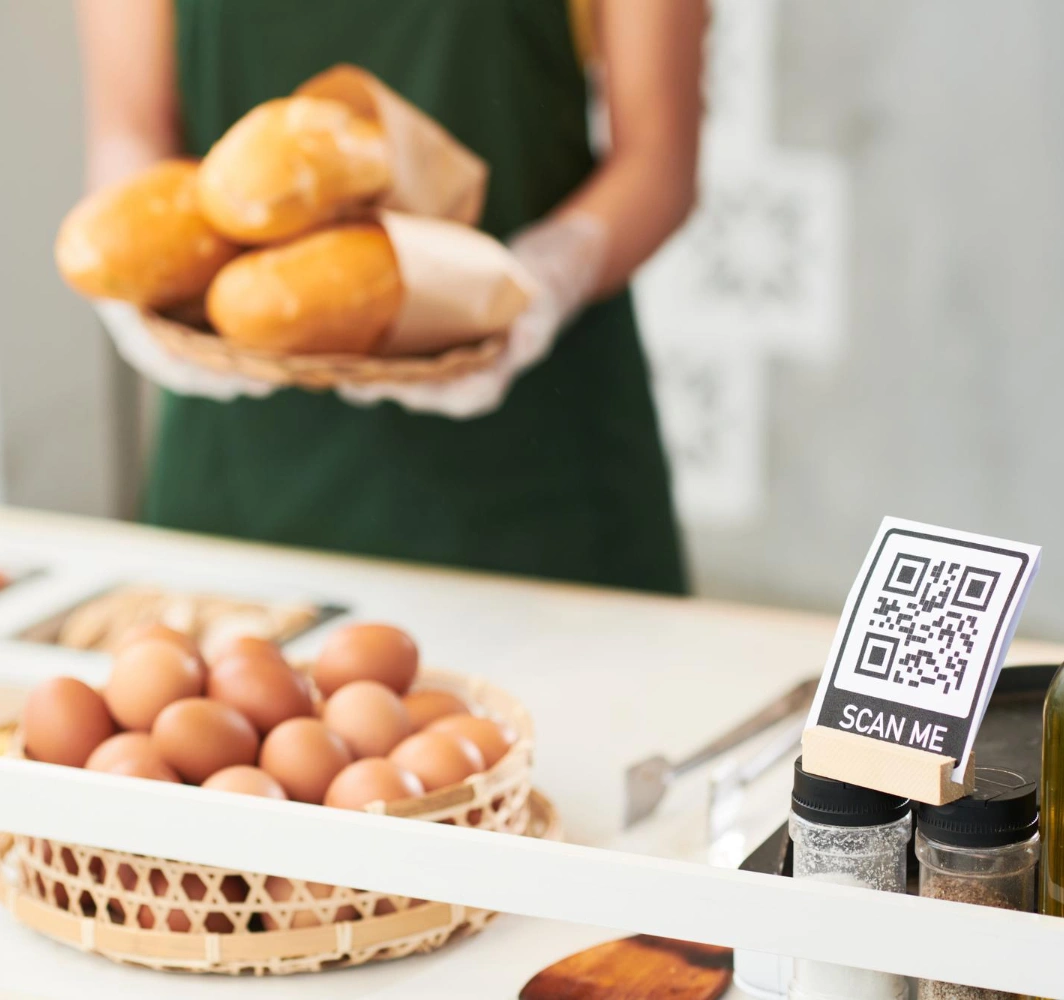
A QR code on the table opens a card with links to your menu, social networks and Google reviews, and analytics shows how often it was scanned.

See the example →
Real estate agent

Real estate agent

A QR code on the sign and in the listing opens the agent's card, and interested buyers leave their details (from 5 Sites) and get an automatic thank-you message.

See the example →
Events and conferences

Events and conferences

A QR code on the badge, contact exchange (from 5 Sites), and Events (Unlimited), which labels every scan and contact from the show with its name.

See the example →

Medical practice and clinic

A card for the practice and for each doctor, with a phone number, map address and the links you choose, while the data stays in your own site's database.

See the example →

Retail and products

Google reviews, a QR code per channel and a catalog in exchange for an email.

See the example →

Influencers and creators

All your platforms on one card on your own domain, measured by platform.

See the example →

Beauty salons

Guests scan the QR code at the mirror and get the salon's card, with the price list in the gallery, a booking link and Google reviews.

See the example →

Gyms and fitness studios

Cards for trainers and the front desk with links to memberships and trial sessions, and campaigns show which channel brings in contacts.

See the example →

Lawyers and law firms

A polished card with the firm's contact details and a consultation link, while cards, statistics and contacts stay in your own site's database.

See the example →

Auto repair shops

Customers scan the shop's card from the receipt: price list, booking and a Google review in one tap.

See the example →

Cafes and bakeries

A QR code at the counter shows today's offer, and you change it without reprinting.

See the example →

How much work is the first card? Three steps to a working QR code

1

Install and activate

The setup wizard walks you through the license, branding, privacy, language and license agreement. Without a key, the software runs in demo mode, with up to three published cards.

2

Create and publish a card

Enter the name, position, phone and email, choose a design and click Publish. The card immediately gets a short address and a QR code.

3

Test it, then share it

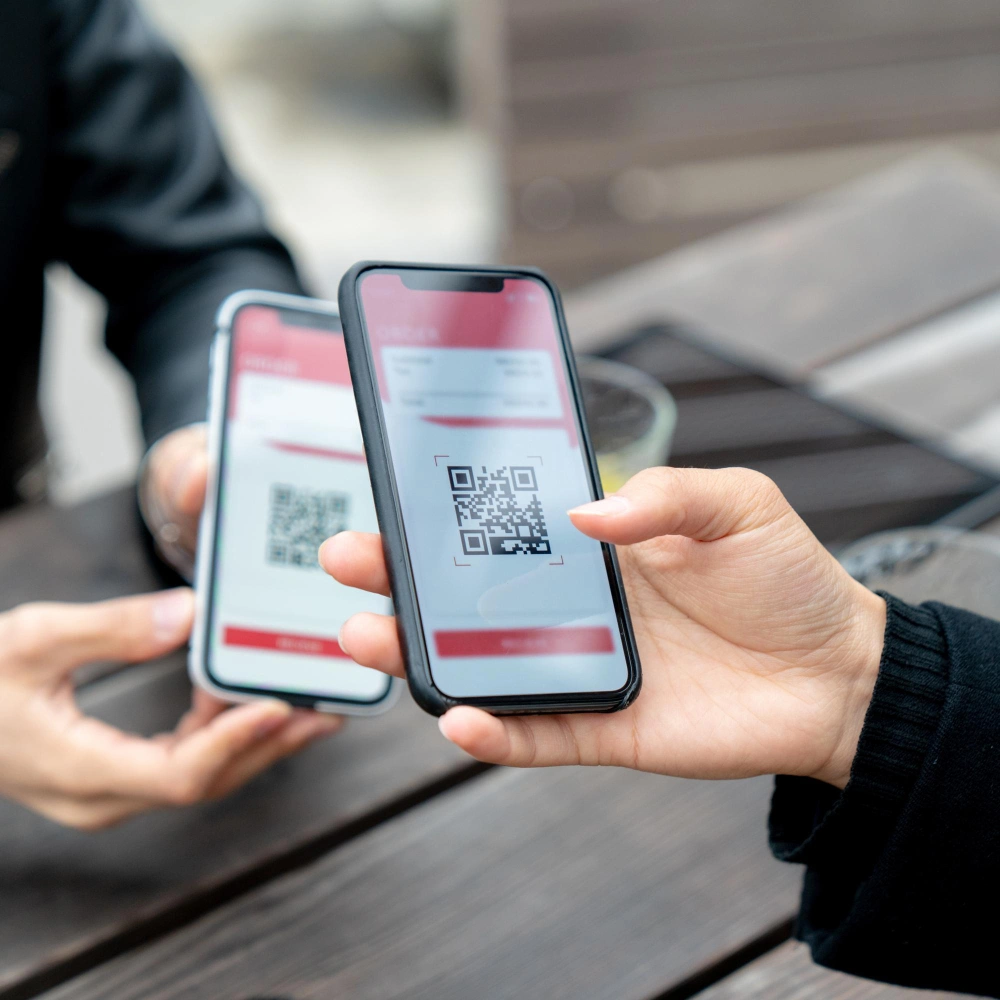
Scan the code with two phones and save the contact, then share the card by QR code, NFC sticker, link, Google Wallet or email signature (from 5 Sites).

Not sure which plan you need? Choose by number of sites and features, and pay once

The license is lifetime and paid once. Updates are included for 12 months from purchase; after that, renewing updates is optional, and the plugin and every feature of your plan keep working without renewal.

Personal

For trying it out and for one person: 1 site and up to 2 cards, no payment.

Free
free forever, no payment
  • 1 WordPress site
  • Up to 2 cards on the site
  • A card with all fields, the Minimal template, the QR code in every size and basic analytics
  • Marketing module, NFC cards, Google Wallet, AI assistant, ROI dashboard and Odoo ERP
  • Card content and plugin interface in 11 languages
  • The card footer shows “Made with Planeta QR vCard Pro free”
Start free

Single Site

For a company on one site: unlimited cards and every template.

RSD 4.900
paid once, lifetime license
  • 1 WordPress site
  • Unlimited cards
  • Everything in Personal
  • Business, Creative, Futura, Showcase, Editorial and Free layout templates
  • Your company logo in the center of the QR code (shared, from Branding)
  • Email support
Get Single Site

Unlimited

For sales teams: employees, events, team analytics and webhooks.

RSD 19.900
paid once, lifetime license
  • Unlimited sites
  • Everything in 5 Sites
  • Webhooks to Zapier, Make, n8n or your own endpoint
  • Employees: accounts, one-time sign-in links, activity overview
  • Team analytics and Team contacts
  • Events (trade shows and conferences)
  • Custom forms for collecting contacts
  • Business card scanner with no monthly limit
  • Priority email support (24h)
Get Unlimited

Agency

For agencies: Team, Card Manager, Bulk Import and white-label.

RSD 39.900
paid once, lifetime license
  • Unlimited sites
  • Everything in Unlimited
  • Team: inviting team members and the Card Manager role
  • Team email signatures
  • CSV import of employees
  • Bulk Import of cards from CSV
  • White-label: your name in WordPress admin and on the cards
  • Removal of the vendor credit from the card footer
  • Priority support with SLA (4h)
  • Direct contact with the author
Get Agency

Each higher plan includes everything in the lower ones. Refunds are available for 14 days from purchase (EULA): send your request to office@planeta-racunari.rs. To move a license to another domain, deactivate it on the old site and activate it on the new one, on every plan.

Need custom licensing terms? Write to us.

Want to see every feature by plan? Here is the full table

A check mark means the feature is included, a dash means it is not. Each higher plan includes everything in the lower ones.

Personal
Free
Single Site
RSD 4.900
5 Sites
RSD 9.900
Unlimited
RSD 19.900
Agency
RSD 39.900
SITES, CARDS AND LICENSE
WordPress sites per license 11UnlimitedUnlimited
Cards on the site 2UnlimitedUnlimitedUnlimited
Moving the license to another domain (deactivate, then activate)
DESIGN AND BRANDING
A card with all fields, the Minimal template, colors and quick presets
Portal name, logo and color (Branding)
Business, Creative, Futura, Showcase, Editorial and Free layout templates -
Logo in the center of the QR code (shared, from Branding) -
A separate QR code logo for each card --
Removal of the vendor credit from the card footer ---
White-label: your name in WordPress admin, the menu and on the cards ---
CARD AND SHARING
Public card with the Save contact and Share details buttons
Icon on phone display
QR code in every size, including print (2000×2000)
Card content in 11 languages
NFC cards
Google Wallet
Email signature --
Virtual background and vertical card --
CONTACTS
Lead Capture (contact exchange), the Contacts screen and export --
Follow-up email per card --
Custom forms for collecting contacts --
Events --
AI TOOLS (YOUR OPENAI KEY)
AI assistant: bio, headline and follow-up message
Automatic translation of card content (Auto-translate)
Paper business card scanner (saved scans) --No limitNo limit
ANALYTICS
Basic analytics: opens and taps by card, period, device and hour
Visitor geolocation (optional, ip-api.com)
ROI dashboard
Advanced analytics and CSV export of scans --
Team analytics and Team contacts --
MARKETING
Marketing module: GA4, Search Console and Tag Manager
Campaigns: a UTM link and QR code per channel, conversion funnel
Retargeting pixels (Meta, Google Ads, LinkedIn) with a consent banner
Google reviews with no filtering by rating
Automatic follow-up (general, optionally through your own SMTP server)
/l/ pages: link hub and landing page with a file download
SEO: indexing switch, per-card override, sitemap, schema.org
INTEGRATIONS
Odoo ERP connector
REST API and API keys --
Webhooks (Zapier, Make, n8n or your own endpoint) with an HMAC signature --
Bulk Import of cards from CSV ---
TEAM AND PEOPLE
Employees: accounts, one-time sign-in links, activity overview --
Maximum cards per person --
Team: inviting team members and the Card Manager role ---
CSV import of employees ---
Team email signatures ---
SUPPORT
Email support -
Priority support (24h) --
4h SLA response ---
Direct support from the author ---
Start free Get Single Site Get Unlimited Get Agency

Features marked on every plan also work in demo mode, for cards that already exist. Some need their own setup, for example an OpenAI key for the AI tools or a Google issuer account for Google Wallet.

Complete guide: Plans, license and updates

Choosing between printed cards, a subscription service and a plugin on your own site? The difference is in editing, data and how you pay

This compares types of solutions, not specific products. For a subscription service we list only what is true by definition; everything else depends on the provider.

Feature QR vCard Pro Printed business card Subscription service
Details can be changed after the QR code is printed Depends on the provider
A Save contact button adds the contact to the phone Depends on the provider
Statistics on card opens Depends on the provider
Paid once, with no required subscription Depends on the provider
Data stored in your own WordPress database
Visitors leave you their contact details (from 5 Sites) Depends on the provider

Here, a subscription service means a service billed monthly or yearly that keeps the data on its own servers.

Have a question before you buy? Here are answers to what buyers ask most often

The answers are based on the plugin's Complete guide. If your question is not here, write to office@planeta-racunari.rs.

What happens after I pay?

Once your payment is confirmed, you receive an email with your license key and a download link. You install the plugin in WordPress, and the first time you open its menu, the setup wizard walks you through activating the key, branding, privacy and language. The key looks like QRVP-XXXX-XXXX-XXXX-XXXX.

Is this a subscription or a one-time purchase?

A one-time purchase, with no required subscription. The license is lifetime and paid once. Updates are included for 12 months from purchase; after that, renewing updates is optional, and the plugin and every feature of your plan keep working without renewal.

What happens after 12 months?

The plugin, your cards and every feature of your plan keep working exactly as before. Without renewal you do not receive new versions. If you want new versions later, renewing updates is optional and entirely your decision.

How many sites does a license cover, and can I move it?

Personal and Single Site work on one site, 5 Sites on up to five, and Unlimited and Agency on any number of sites. To move a license to another domain, deactivate it on the old site and activate it on the new one; this works on every plan. On a WordPress multisite network, each site has its own license and plan.

What is the refund policy?

You can request a refund within 14 days of purchase, under the license agreement (EULA). Send your request to office@planeta-racunari.rs.

What can I do without a license, and what does the free plan include?

Without a license, the plugin runs in demo mode: you can publish up to three cards, features with a plan check are locked and there are no automatic updates. The free Personal plan stays free, for 1 site and up to 2 cards. In both cases every feature without a plan check works, and the card footer shows “★ Made with Planeta QR vCard Pro free · Try it →”.

How many cards can I create?

On Personal, at most two on the entire site, no matter who creates them; Single Site and higher plans have no limit. When the limit is reached, a new card stays saved as a draft. On top of that, the Administrator and the Card Manager can set a Maximum cards per person for employees and team members.

Where is the data stored, and what is sent to outside services?

Cards, visit statistics and contacts are stored in your own WordPress database, not on the vendor's server. Data leaves your site only when you turn on a feature that needs it: Auto-translate, the AI assistant and the scanner send text or an image to OpenAI; Geo-location sends IP addresses to ip-api.com; Google Wallet and Search Console exchange data with Google; pixels and GA4 load for visitors only after you turn them on (and, with required consent, after the visitor agrees); webhooks and Odoo send contacts to the addresses you enter; follow-up emails go through your SMTP server if you set one up. The license server receives the license key, the domain and the plugin version when it checks the license.

What do I need for the AI features, and who pays for them?

You need your own OpenAI API key, which the administrator enters in the settings. The AI assistant and Auto-translate work on every plan; the paper business card scanner starts with 5 Sites, with 20 saved scans per user per month, and has no limit on Unlimited and Agency. OpenAI bills every request to the account that owns the key; we do not charge for that usage.

How does Google Wallet work?

Google Wallet works on every plan. The administrator enters the issuer account details from the Google Pay & Wallet Console and a service account once, and the Add to Google Wallet button then appears on the portal and on public cards. The pass carries the company name, name, position, phone, email and the card's QR code. Two things to know: changes to a card are not pushed to passes that are already saved (the QR code on the pass always opens the current card), and until your issuer gets production access from Google, passes are marked [TEST ONLY]. Your server also needs the PHP OpenSSL extension.

Can I send contacts to Odoo or another CRM?

To Odoo, yes, directly: the built-in Odoo connector works on every plan and records every new contact, whether it comes from the card form, an /l/ page, the scanner or the API, as an opportunity or a contact in Odoo CRM. Your Odoo needs external API access (a self-hosted Community or Enterprise install, Odoo.sh, or Odoo Online on the Custom plan). For other systems there are webhooks to Zapier, Make, n8n or your own endpoint (from Unlimited), plus the REST API and CSV export of contacts (both from 5 Sites).

Which languages does it support?

Card content and the plugin interface are available in 11 languages: Serbian, English (US and UK), German, French, Spanish, Croatian, Slovenian, Russian, Japanese and Simplified Chinese. Visitors automatically see the card in their phone's language or choose one themselves. This sales site is available in 8 languages.

What support do I get?

Support depends on the plan: Single Site and 5 Sites include email support, Unlimited priority email support (24h), and Agency priority support with an SLA (4h) plus direct contact with the author. Write to office@planeta-racunari.rs. You also get the Complete guide, available in wp-admin, on the portal and on this site.

Can employees edit their own cards?

Yes, from the Unlimited plan. On the Employees page you enter a name, email and phone, and the software creates the account, a ready card and a one-time link for the first sign-in, valid for 30 days. The employee opens it, sets a password and from then on signs in with email and password. On the portal they edit only their own cards and never see WordPress admin. The Agency plan adds Team and the Card Manager role, for someone who manages all cards and people without access to the settings.

How do I collect contacts at trade shows and meetings?

From 5 Sites, Lead Capture invites card visitors to leave you their details, and the paper business card scanner turns photos of business cards into contacts. All contacts land on the Contacts screen, where you search, tag, add notes and export them to CSV. On Unlimited, Events labels every scan and contact from a trade show with its name, and custom forms add your own questions.

Can I build cards for clients under my own brand?

Yes, on the Agency plan. White-label replaces the plugin name in the Plugins list, the menu, Home, the guide title and the card footer credit, and you can remove the vendor credit from the footer entirely. A few places stay original, such as the setup wizard, the license status notice and the license agreement text. Portal name, logo and color (Branding) can be set on every plan, and Bulk Import and Team make it easier to work with many people.

Can I change my details after the QR code is printed?

Yes. The QR code holds only the card's short address, such as your-site.com/q/Rm4xT9, not your details. The address does not change when you change the name, company or design, so a printed code opens the updated card. A card is public only while it is published: if you switch it to draft or delete it, the code shows the “QR card not found” page.

How does the plugin help with GDPR and data protection?

The defaults were chosen with GDPR (EU), CCPA (USA) and ZZPL (Serbia) in mind: IP addresses are anonymized, a hashed IP can be used to count unique visitors, geolocation through ip-api.com is off, and you choose how long scans are kept. Pixels load only after the visitor consents in the built-in banner, and you can turn scan logging off completely. The software gives you the switches; the company that uses the cards is responsible for the legal basis for processing and its privacy policy.

How do updates arrive, and are they safe?

While your license is active, the plugin checks for a new version at most once every 12 hours, and you install it on the standard WordPress Plugins screen. Before installation, the software checks the package size, its SHA-256 fingerprint and the vendor's digital signature, as well as the PHP and WordPress requirements; if anything does not match, the update stops and the installed version keeps working. A manually uploaded ZIP skips the signature check, so download ZIP files only from the vendor.

Will it work with my theme and other plugins?

Cards open at short /q/ addresses on your own WordPress site. The software detects known conflicts with other plugins on its own and tells you, at the top of its pages, what to change. Before a wider rollout, test a card on your site; the free Personal plan is enough for that.

Do I need programming skills?

No. If you can install a WordPress plugin, you can use this one. The seven-step setup wizard configures the license, branding, privacy and language, and you fill in a card through a form and publish it with one click. For the REST API and webhooks you need a developer or a service such as Zapier, Make or n8n.

Can I share my card without a QR code?

Yes. The card has a short link you can send in a message, and visitors can pass it on to a third person with the Share details button. Every plan also includes NFC cards and Google Wallet, and from 5 Sites you get an email signature and a virtual background with your QR code for video meetings.

What exactly do I see in analytics?

On every plan you see card opens and taps on Save contact, phone, email, website, social networks and the map, by card, period, device and hour, and country and city only if you turn on Geo-location. From 5 Sites you get advanced analytics (conversion funnel, smart insights, a Lead Capture A/B test) and CSV export of scans, and from Unlimited, Team analytics and Team contacts.

What is the blue Verified badge?

The badge is not tied to a plan. The vendor can mark your license as verified; the administrator can then mark cards in the card list with the blue Verified badge, which is shown only while the license is active and verified.

Answers to practical questions and a description of every feature are in the Complete guide: Complete guide →

Want to try it before you pay? Start free and pick a plan when you need one

Personal is free forever: 1 site and up to 2 cards. When you need more, you deactivate the free key and activate the one you bought, and your cards stay. Paid plans come with a 14-day refund window.